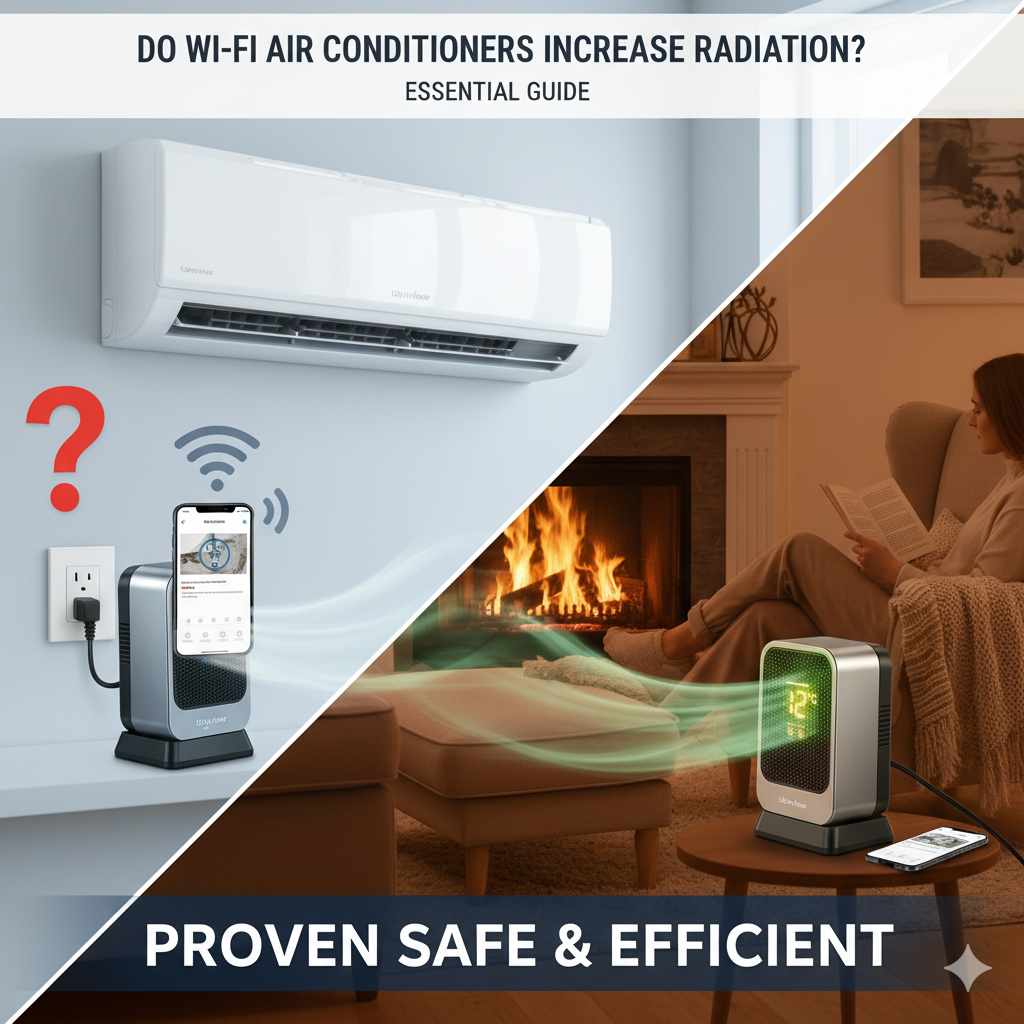
Do Wifi Air Condition Units Increase Radiation Risk?
No, Wi-Fi air conditioning units do not significantly increase radiation in your home. The radiofrequency (RF) energy they emit is very low, similar to devices like routers and smartphones, and well within safety standards set by health organizations. This guide will break down what this means for you and your family.
For a closely related heater topic, Convection vs Radiation Heaters gives readers a useful next step.
For portable or electric heater comparisons, Forced Air Electric Vs Baseboard Heaters: Heating Showdown gives readers another helpful angle before buying or using one.
For a closely related heater topic, Do Wifi Air Condition Units Increase Radiation? gives readers a useful next step.
You’re looking to cool your home, and modern Wi-Fi air conditioners seem like a great, convenient option. But then a question pops into your mind: Do these smart units add more radiation to your living space? It’s a common concern, especially with all the talk about Wi-Fi signals and our health. Don’t worry, you’re not alone in wondering about this! Many homeowners feel a bit unsure about the technology they bring into their homes. This guide is here to help clear the air, providing simple, straightforward answers about Wi-Fi AC units and radiation so you can make a confident choice for your comfort and peace of mind. Let’s explore what’s really going on.
Understanding Radiation and Electronics
It’s completely natural to feel curious about the invisible signals our electronics use. When we talk about “radiation” from devices like Wi-Fi air conditioners, we’re mostly referring to non-ionizing radiofrequency (RF) energy. This is the same type of energy that cell phones, Wi-Fi routers, and microwave ovens use. It’s different from ionizing radiation (like X-rays), which can be harmful in high doses. The key thing to remember is that the amount of RF energy emitted by these devices is very, very low. They are designed to communicate, not to broadcast powerful signals that could impact your health. When it comes to cooling your home, the focus is on comfort and efficiency, and thankfully, the RF emissions from smart AC units are not a cause for alarm.
What is Radiofrequency (RF) Energy?
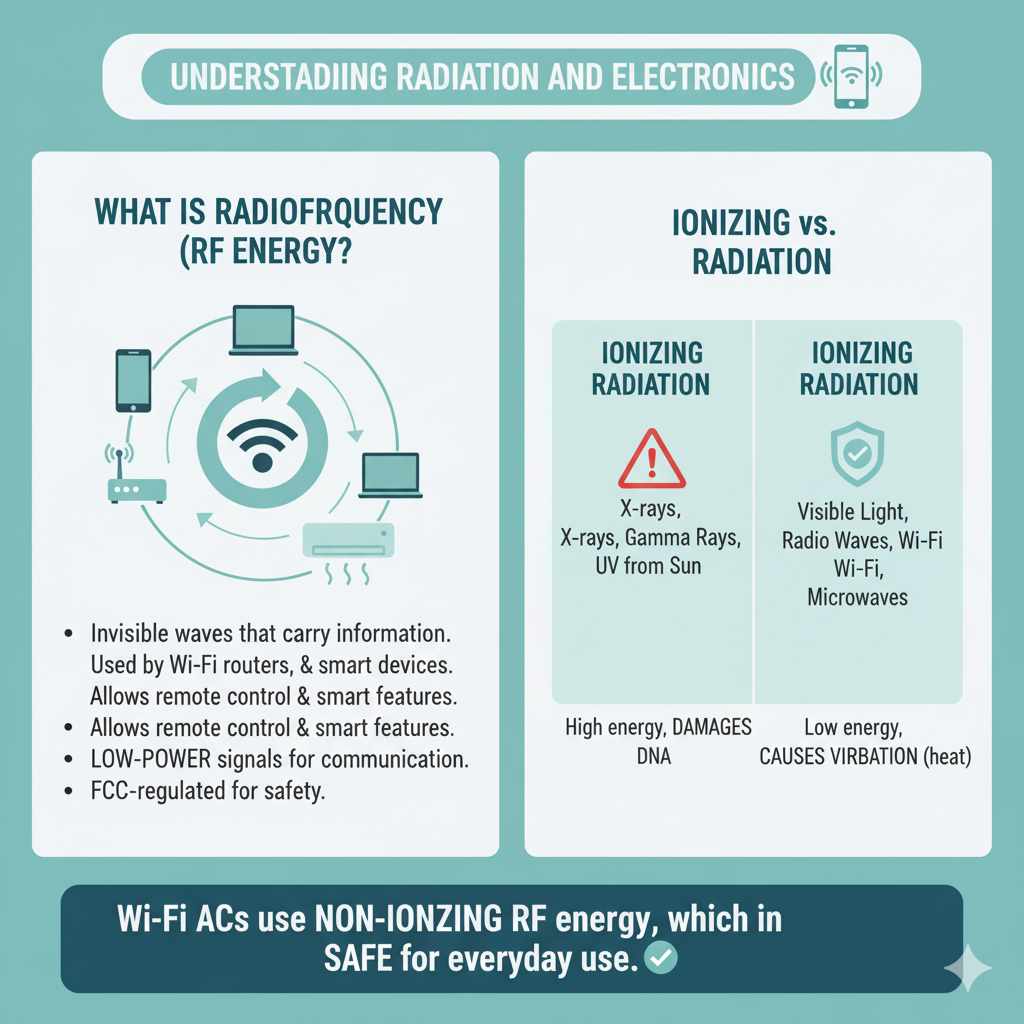
Radiofrequency (RF) energy is a type of electromagnetic radiation. Think of it as invisible waves that carry information. Your Wi-Fi router sends these waves to your laptop, and your smartphone uses them to make calls. Wi-Fi air conditioners use them in a similar way: to connect to your home network so you can control them remotely using an app, or to enable features like smart scheduling. The Federal Communications Commission (FCC) in the United States and similar bodies worldwide have established strict limits on the amount of RF energy that electronic devices can emit to ensure public safety. These limits are based on extensive research into the potential health effects of RF exposure.
The strength of RF signals decreases rapidly with distance. This means that the closer you are to the source, the stronger the signal. However, the devices we use daily, including smart ACs, operate at very low power levels. The intention behind using Wi-Fi in an AC is purely for convenience and connectivity, not for broadcasting high-energy signals. It’s a bit like how your TV remote uses a low-power infrared signal to change channels – it’s designed for a specific, short-range function.
Ionizing vs. Non-Ionizing Radiation: What’s the Difference?
It’s crucial to understand the distinction between ionizing and non-ionizing radiation, as they have very different effects.
- Ionizing Radiation: This type of radiation has enough energy to remove electrons from atoms and molecules. Examples include X-rays, gamma rays, and UV radiation from the sun. Overexposure to ionizing radiation can damage DNA and increase the risk of cancer.
- Non-Ionizing Radiation: This type of radiation does not have enough energy to remove electrons from atoms. Instead, it can cause molecules to vibrate. Examples include visible light, radio waves, microwaves, and the RF energy emitted by Wi-Fi devices. The primary effect of non-ionizing radiation at high levels is heating. However, the levels emitted by consumer electronics are far too low to cause significant heating or other adverse health effects.
Wi-Fi air conditioners, like other Wi-Fi-enabled devices, fall squarely into the non-ionizing category. The energy they emit is designed for communication, and its intensity is regulated to be safe for everyday use. Regulatory bodies like the FCC continuously monitor and set standards for RF exposure from electronic devices.
How Wi-Fi Works in Your Air Conditioner
At its core, a Wi-Fi air conditioner is just like a traditional AC unit, but with added smart capabilities. The Wi-Fi module inside the unit is a small component that allows it to connect to your home’s wireless network. This connection enables a range of convenient features that you wouldn’t get with a standard unit.
The Connectivity Advantage
The main reason manufacturers include Wi-Fi in air conditioners is to offer enhanced control and convenience. Imagine being able to turn on your AC from your office so your home is perfectly cool by the time you arrive. Or perhaps you want to adjust the temperature while you’re on vacation. These are the kinds of benefits Wi-Fi makes possible. It transforms a basic appliance into a smart device that can be managed remotely through a smartphone app or even voice commands.
Here are some common smart features enabled by Wi-Fi:
- Remote Control: Adjust temperature, fan speed, and modes from anywhere using a smartphone app.
- Scheduling: Set specific times for the AC to turn on or off, optimizing comfort and energy use.
- Voice Control: Integrate with smart home assistants like Amazon Alexa or Google Assistant for hands-free operation.
- Energy Monitoring: Some models provide insights into energy consumption, helping you save money.
- Diagnostic Alerts: Receive notifications if there’s an issue with the unit.
The Technology Behind the Connection
The Wi-Fi module in your air conditioner operates similarly to the Wi-Fi chip in your laptop or smartphone. It uses low-power radio waves to communicate with your router. When you use the app to change the settings, the app sends a command through your Wi-Fi network to the AC unit. The unit receives this command and adjusts its operation accordingly. The RF signal strength is designed for reliable communication within your home, and it doesn’t require high power. It’s a brief, low-energy exchange of data. For a deeper dive into how Wi-Fi technology functions in general, you can explore resources from institutions like the International Telecommunication Union (ITU), which provides insights into global telecommunication standards.
Wi-Fi AC Units and Radiation Levels: The Facts
Now, let’s get straight to the point about radiation. The radiofrequency energy emitted by Wi-Fi air conditioners is very minimal. Health organizations and regulatory bodies have studied this extensively, and the consensus is clear: these devices are safe.
Comparing Wi-Fi AC Radiation to Other Devices
It’s helpful to put the RF energy from a Wi-Fi AC into perspective. Think about the devices you use every day:
- Smartphones: These emit RF energy when making calls, sending texts, or using data. They are typically used very close to the body.
- Wi-Fi Routers: These constantly emit RF signals to allow devices in your home to connect to the internet. They are usually placed in a central location.
- Microwave Ovens: While these use RF energy to heat food, they are designed with shielding to contain the radiation, and it’s only on when the oven is actively cooking.
The RF energy emitted by a Wi-Fi air conditioner is generally comparable to, or even less than, that of a Wi-Fi router. The unit is stationary and typically installed higher up on a wall, meaning the distance between you and the source of the RF signal is often greater than when you’re holding a smartphone. The Federal Communications Commission (FCC) sets Specific Absorption Rate (SAR) limits for devices that are held close to the body, ensuring they remain below levels considered harmful. While AC units aren’t typically measured by SAR, their operational RF power is significantly lower than many common personal devices.
Safety Standards and Regulations
You can rest assured knowing that electronic devices sold in your country must meet stringent safety standards. In the United States, the FCC regulates RF exposure from electronic devices. They set limits for RF energy that devices can emit to ensure they operate safely in the presence of the public. These limits are based on guidelines from organizations like the Institute of Electrical and Electronics Engineers (IEEE) and are designed to protect against established health effects. A Wi-Fi air conditioner, to be sold legally, must comply with these regulations. This means the RF output is within the safe limits determined by scientific research and government oversight.
The World Health Organization (WHO) also provides extensive information on electromagnetic fields and public health. They state that “to date, and after much research performed, no adverse health effect has been causally linked with exposure to wireless technologies.” This global health authority continually reviews scientific evidence to provide guidance. You can find more details on their official FAQ pages regarding mobile phones and base stations, which cover similar RF principles.
Do Wi-Fi AC Units Produce More Heat Due to Radiation?
This is another common question that touches on how electronics function. It’s important to clarify that the RF energy emitted by a Wi-Fi AC unit does not intrinsically produce extra heat in a way that would impact your home’s temperature control or significantly increase ambient heat. The primary function of the Wi-Fi module is communication, which uses very low power. Any heat generated by the electronics within the AC unit, including the Wi-Fi module, is minimal and is already accounted for in the unit’s overall design and cooling capacity. It’s a tiny fraction of the heat the AC is designed to manage.
Heat Generation from Electronics
All electronic devices generate some heat as a byproduct of their operation. This is due to the flow of electricity through their components. Think of your laptop getting warm when you’re using it, or your phone feeling slightly warm after a long call. The Wi-Fi module in an air conditioner is a small electronic component. The amount of heat it produces is negligible compared to the cooling power of the air conditioning unit itself. The primary heat load in any room comes from external factors like sunlight, insulation, occupants, and heat-generating appliances (like your stove or oven), not from the low-power RF signals of a smart device.
Focus on Cooling Efficiency
When we talk about air conditioners, the main concern is their efficiency in cooling your home. Wi-Fi capabilities are designed to enhance user experience and potentially improve energy efficiency through smart scheduling and remote control. They don’t negatively impact the core cooling function or add a noticeable heat load. In fact, smart features might help you reduce unnecessary cooling, thereby saving energy and money. For example, you can set your Wi-Fi AC to turn off automatically when you leave for work or turn on shortly before you return home, ensuring you’re not paying to cool an empty house. The heat produced by internal electronics, including the Wi-Fi component, is so small that it’s not a factor in the unit’s overall energy consumption or cooling performance.
Choosing a Wi-Fi Air Conditioner Safely
Selecting a Wi-Fi air conditioner is largely about choosing the right model for your cooling needs and preferences. The “smart” features are a bonus, and as we’ve discussed, the RF emissions are not a concern. Here’s what to consider to make a confident choice.
Key Features to Look For
When shopping for a Wi-Fi air conditioner, think about the functionality that matters most to you:
- Cooling Capacity (BTUs): Ensure the unit is sized correctly for the room you need to cool. Too small, and it won’t be effective; too large, and it can be inefficient and lead to poor dehumidification. You can find BTU recommendations based on square footage online – for example, the ENERGY STAR program offers guidance on efficient appliance selection.
- Smart Functionality: Does it offer the app control, scheduling, or voice assistant integration you want?
- Energy Efficiency (EER/SEER): Look for higher Energy Efficiency Ratio (EER) or Seasonal Energy Efficiency Ratio (SEER) ratings, which indicate lower energy consumption.
- Noise Level: Check the decibel (dB) rating if you’re sensitive to noise, especially for bedrooms.
- Filtration and Air Quality: Some units offer advanced filters for better air quality.
- Ease of Installation: Most portable and window units are designed for DIY installation, but split systems require professional help.
Understanding Energy Star Ratings
ENERGY STAR is a U.S. Environmental Protection Agency (EPA) program that helps consumers identify energy-efficient products. When you see an ENERGY STAR certified air conditioner, it means the unit meets strict energy efficiency guidelines set by the EPA. This translates to:
- Lower energy bills: Efficient units use less electricity to provide the same amount of cooling.
- Reduced greenhouse gas emissions: Less energy consumption means a smaller environmental footprint.
- Better performance: Often, these units are also designed for quieter operation and better durability.
Choosing an ENERGY STAR certified Wi-Fi air conditioner is a smart decision for both your wallet and the planet. It ensures you get a reliable, effective cooling solution that also minimizes energy waste. The ENERGY STAR website provides a comprehensive list of certified products, helping you make informed choices.
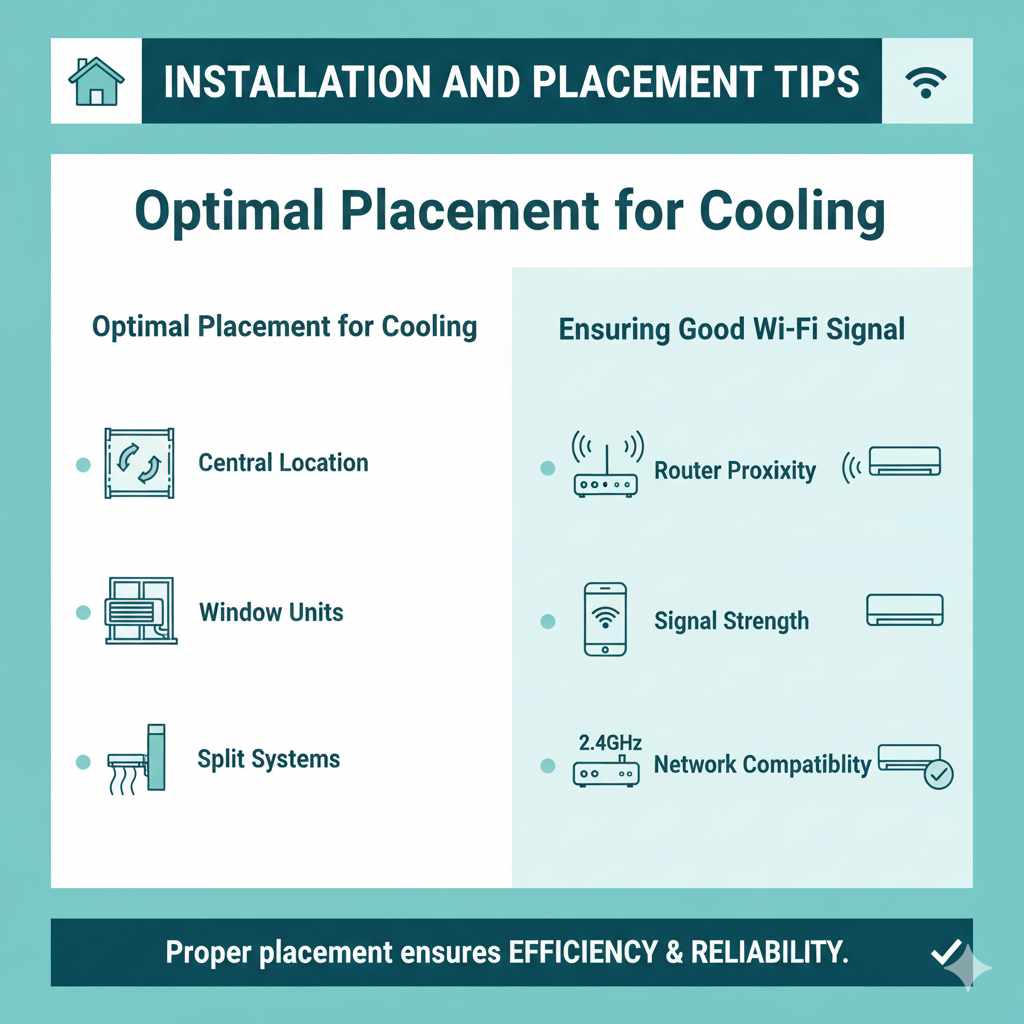
Installation and Placement Tips
Where you install your Wi-Fi air conditioner and how it’s set up can impact its performance and efficiency. While the Wi-Fi aspect doesn’t require any special installation considerations for radiation safety, proper placement is key for effective cooling and for ensuring good Wi-Fi reception for its smart features.
Optimal Placement for Cooling
For window units and portable ACs, consider these points:
- Central Location: Place the unit in a location where cool air can circulate freely throughout the room. Avoid corners or areas blocked by furniture.
- Window Units: Ensure a snug fit in the window to prevent hot air from leaking in. The unit should be slightly tilted outwards to allow condensation to drain properly.
- Portable Units: The exhaust hose needs to be vented directly outside through a window or wall vent. Keep the hose as short and straight as possible to maximize efficiency.
- Split Systems: The indoor unit should be positioned high on a wall, facing the main area of the room, to allow cool air to descend and mix with warmer air.
Ensuring Good Wi-Fi Signal
For your Wi-Fi air conditioner to work seamlessly with its smart features, it needs a stable connection to your home’s Wi-Fi network. Here are a few tips:
- Router Proximity: The AC unit should be within a reasonable range of your Wi-Fi router. If your router is very far away or there are many thick walls in between, the signal might be weak.
- Signal Strength: Most AC apps will indicate the Wi-Fi signal strength. If it’s weak, consider moving your router closer, using a Wi-Fi extender, or upgrading to a mesh Wi-Fi system for better coverage throughout your home.
- Network Compatibility: Ensure your Wi-Fi network is compatible with the AC unit (e.g., many units connect to 2.4GHz networks, not 5GHz).
Remember, the goal is for the AC to communicate reliably with your router. Good Wi-Fi coverage ensures you can take full advantage of the smart capabilities without interruption.
Frequently Asked Questions (FAQ)
Q1: Are Wi-Fi air conditioners safe for children and pets?
A: Yes, Wi-Fi air conditioners are safe for children and pets. The radiofrequency (RF) energy they emit is non-ionizing and very low-level, well within international safety standards. The primary function is communication, not radiation that could cause harm.
Q2: Do I need to do anything special to “shield” myself from the radiation?
A: No, there is no need to shield yourself. The RF energy emitted is minimal and poses no known health risk according to major health organizations. Standard usage of the device is perfectly safe.
Q3: How can I check the radiation levels of my Wi-Fi AC unit?
A: For typical home users, checking exact radiation levels isn’t practical or necessary. The units are certified to meet safety standards set by regulatory bodies like the FCC. You can trust that they operate within these safe limits.
Q4: Will the Wi-Fi signal from the AC interfere with my other devices like phones or laptops?
A: It’s highly unlikely. The Wi-Fi module in your AC operates on standard Wi-Fi frequencies (usually 2.4GHz), just like your router and other devices. It uses a very small part of the available bandwidth for its communication, and interference is not a typical issue.